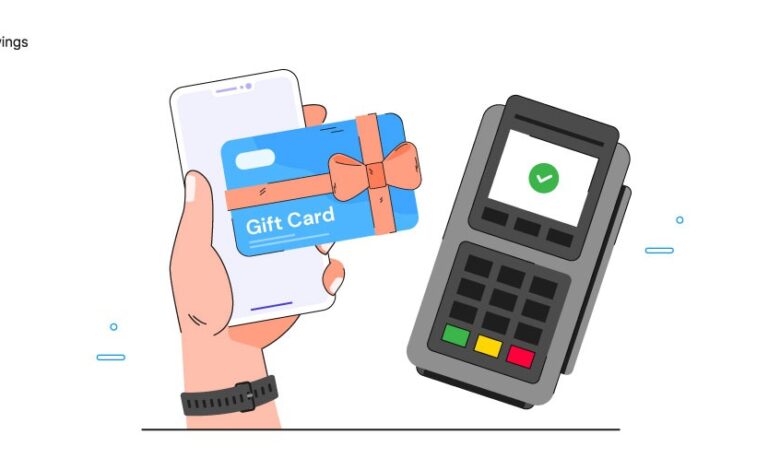
Gift cards have become one of the most convenient ways to shop, enjoy entertainment, or give someone the freedom to choose what they like. Whether you received one for your birthday, a holiday, or a special celebration, knowing how to redeem gift card credits is essential to make the most out of your gift. Although the process is usually simple, the exact steps can vary depending on whether the card is digital or physical, and which store or platform issued it. This guide breaks everything down step-by-step to help beginners redeem any type of gift card with confidence.
1. Understand the Type of Gift Card You Have
Before you learn how to redeem gift card codes, you need to identify the type of card you’re holding. There are generally three categories:
a. Store-Specific Gift Cards
These are issued by a particular retailer such as Amazon, Target, Walmart, or Starbucks. They can only be used at that retailer’s store, website, or app.


b. Multi-Brand or Marketplace Cards
Platforms like Google Play, App Store, and Steam offer gift cards that work within their digital ecosystem.
c. Prepaid Cards
These include Visa, Mastercard, or American Express gift cards. They work like debit cards and can be used almost anywhere the brand is accepted.
Knowing the category will help you understand the exact redemption process.
See also: Choosing the Right Lens Technology for Your Lifestyle and Eye Health
2. Locate the Code on Your Gift Card
Every gift card has a unique code that allows the system to identify and apply your credit. For physical cards, the code is usually on the back and may be covered by a scratch-off strip for security. For digital gift cards, the code is included in the email or message you received.
Make sure not to share this code publicly. Anyone with access to it can redeem your balance.
3. Check the Redemption Platform or Website
To begin the process, you will need to visit the correct platform where your card can be redeemed. Here are common examples:
- Store website (e.g., amazon.com, nike.com)
- Mobile app (e.g., Starbucks app, Google Play app)
- Point-of-sale system for in-store purchases
- Payment portal for prepaid gift cards
Most retailers have a “Gift Cards,” “Redeem,” or “Account Balance” section on their website or app. This is where you will enter the card number and PIN.
4. Sign in or Create an Account
Some companies require you to be logged in before redeeming your gift card. If you’re new to the platform, create an account using your email or phone number.
Creating an account is beneficial because:
- You can store the gift card balance for future use.
- You can track purchases or remaining balance.
- You can recover the card information if you lose the physical card.
5. Enter the Gift Card Code
Once you’re on the redemption page, follow these steps:
- Find the field that asks for the gift card number or redeem code.
- Type the code exactly as it appears. Check for similar-looking characters like:
- 0 (zero) vs. O (letter O)
- 1 vs. I or l
- 0 (zero) vs. O (letter O)
- If the card requires a PIN, enter it in the designated field.
After entering the details, click Redeem, Apply, or Submit.
This is the core step when learning how to redeem gift card credits online.
6. Check Your Updated Balance
Once the code is successfully redeemed, the system will show your new balance. For some retailers, the amount is added to your account automatically. For prepaid cards, the card itself retains the balance and can be used like a debit card until the funds are gone.
7. Start Shopping or Using Your Balance
After your gift card is redeemed, you can now start using it. Here are some tips:
- Online purchases: Your balance will appear during checkout. Choose the “Use gift card balance” option.
- In-store use: Present the physical card or show the digital barcode to the cashier.
- Partial payments: If your purchase exceeds the card value, you can pay the remaining amount with another payment method.
8. Keep Track of Your Remaining Balance
Many beginners forget to check how much money is left after spending part of their gift card. Most platforms allow you to check your balance on their website, app, or through customer service.
Keeping track helps you plan future purchases and ensures you don’t lose unused funds.
Final Thoughts
Learning how to redeem gift card credits is simple once you understand the type of card, where to redeem it, and how to apply the code. By following the steps in this guide, you can make the most out of any gift card you receive—whether it’s physical, digital, prepaid, or store-specific. Gift cards offer flexibility and convenience, so enjoy your shopping or entertainment experience with confidence!